
How it works

One record,
field to office.

Follow a single record as it travels through Buildpal, from a worker's verified profile all the way to a trusted project picture in the office.

A verified Buildpal construction worker
01Worker Platform

Verified workers

A portable, verified profile every contractor can trust from day one.
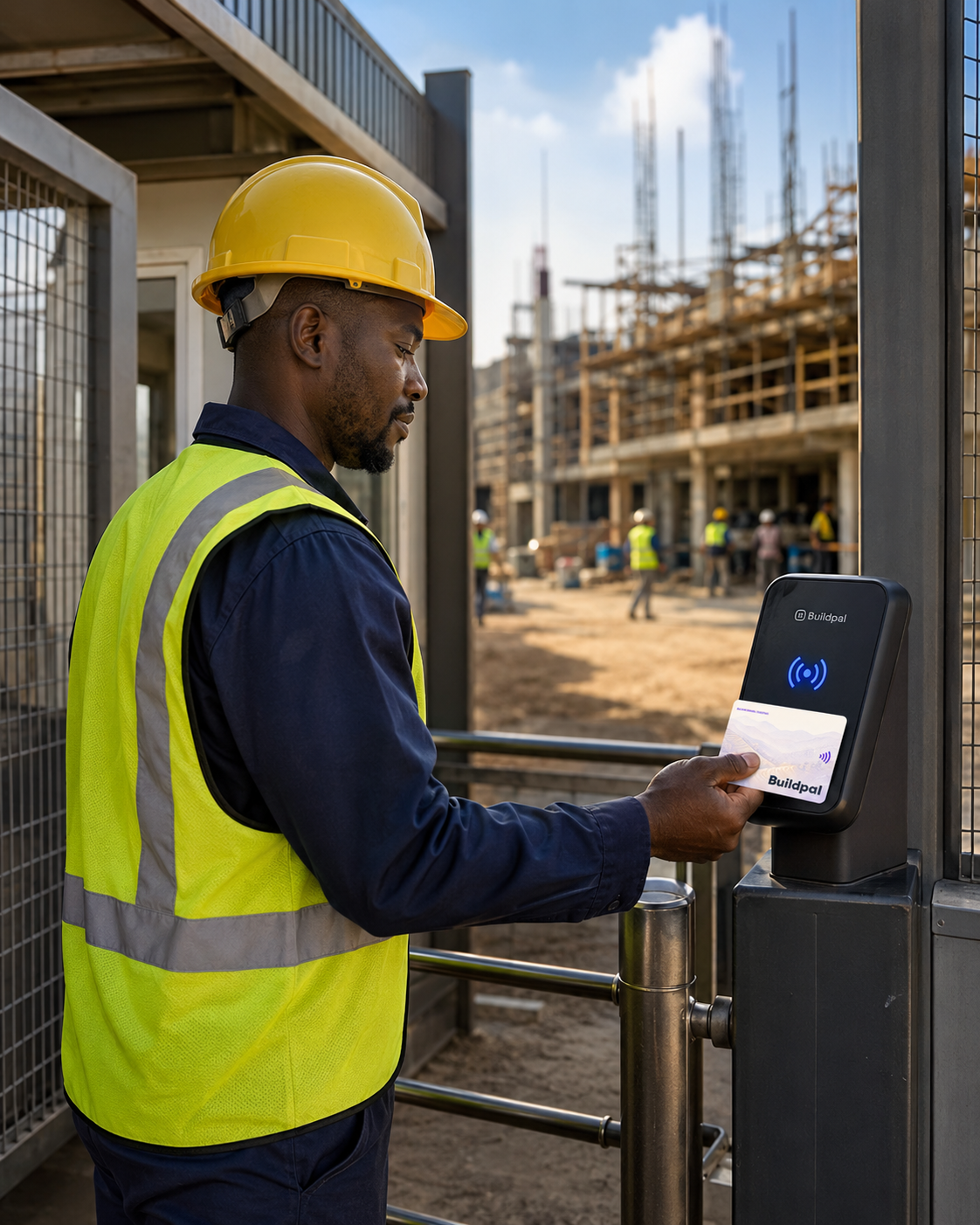
A worker taps a Buildpal card at the site gate
02On site

At the gate

A tap of a Buildpal card records attendance, even with no phone or network.

The Buildpal site card
03Payments

Payment-ready records

Approved attendance turns straight into clean, payment-ready records.
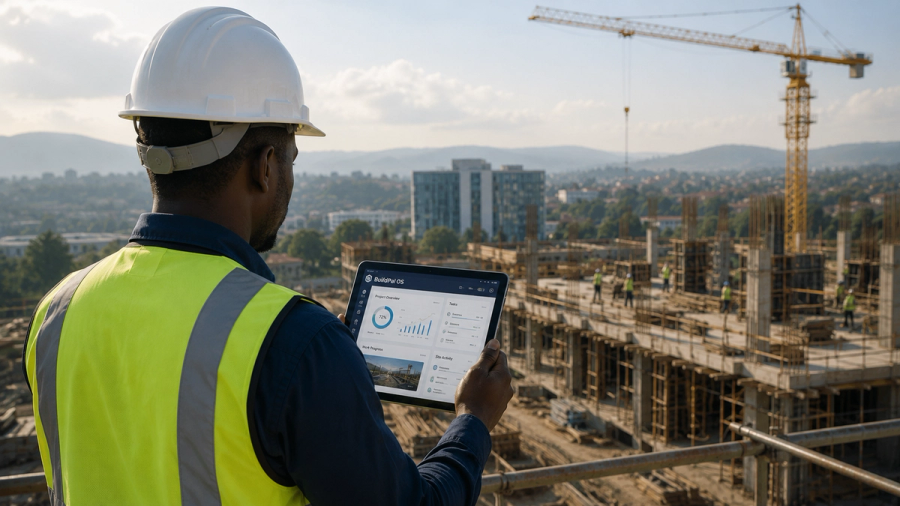
The Buildpal OS live attendance view
04Buildpal OS

The whole project

Presence and progress roll up into one live picture for the office.

The workflows

How each product works.

Each Buildpal product stands on its own. Here's the workflow for each, and where they connect.

Buildpal OS

The construction operating system for the office: plan, run and control the whole project in one place.

Set up the project01 · Setup

Create the project, its structure, team and permissions in one place, the shared home every module writes back to.

  • Project profile, sites and teams
  • Roles and granular permissions
  • One permissioned record from day one
Plan the programme02 · Planning & Scheduling

Build the baseline, look-ahead and milestones the whole team plans and reports against.

  • Baseline and look-ahead views
  • Milestones and dependencies
  • Forecast vs. actual tracking
Run the field03 · Field Operations

Capture daily logs, photos and issues from any phone on site, no paperwork, no delay.

  • Daily logs and site diaries
  • Photos and issue reports
  • Works offline, syncs later
Control docs & commercials04 · Document & Cost Control

Keep drawings, RFIs, budgets and cost risk in one trusted, revision-controlled record.

  • Drawings and RFIs with revision history
  • Budgets, invoices and forecasts
  • Early warning on cost risk
Track the workforce05 · Workforce Management

Crews, assignments and attendance flow straight in from the Worker Platform.

  • Live workforce presence
  • Crew assignments and productivity
  • Attendance feeds payroll-ready records
See the whole project06 · Project Dashboard

KPIs, progress and blockers roll up into one live picture the office can trust.

  • Portfolio and project KPIs
  • Blockers and data freshness at a glance
  • Answers for clients in minutes

Worker Platform + Site Access

The workforce marketplace and formalization layer: book verified labour and capture attendance manually, or automatically with Site Access hardware.

Register01 · Worker Platform

Workers sign up with their trade, experience and ID, the start of a portable profile they own.

  • Trade, skills and experience
  • ID and right-to-work details
  • A profile that travels with the worker
Verify02 · Worker Platform

Identity, trade and references are checked before a profile ever goes live.

  • Identity verification
  • Trade and reference checks
  • Trusted from the first booking
Request03 · Worker Platform

Contractors request crews by trade, site and date, right on the platform.

  • Request by trade, site and date
  • One shift or a full crew
  • Matched to verified workers
Book04 · Worker Platform

Matched workers confirm the booking, with repeat bookings and replacements built in.

  • Instant booking confirmations
  • Repeat bookings for reliable crews
  • Automatic replacements
Attend05 · Attendance

Attendance is logged manually in the field app, or automatically via Site Access readers and cards.

  • Manual check-in on the field app
  • Automated tap in/out with Site Access
  • Works with no phone or network
Review06 · Worker Platform

Contractors confirm hours and quality; workers rate the booking too.

  • Hours and quality approval
  • Two-way ratings
  • Exceptions handled cleanly
Pay07 · Payments

Approved attendance becomes a worker payment through Buildpal.

  • Payment-ready from approved hours
  • Paid through Buildpal
  • Feeds the worker's earnings record
FAQ

Making sense of the flow.

No. Workers focus on their profile and showing up; contractors focus on requesting workers and approving attendance. Buildpal connects the steps in the background.
The OS is where the office sees everything (workforce presence, daily reports, and project progress) built from the same records the field creates.
Attendance and reports are captured offline and sync later, so the flow keeps working at the gate regardless of connectivity.

Ready to see it on your own site?

Whether you run projects or hire workers, the fastest way to understand Buildpal is to see it with your own work.